
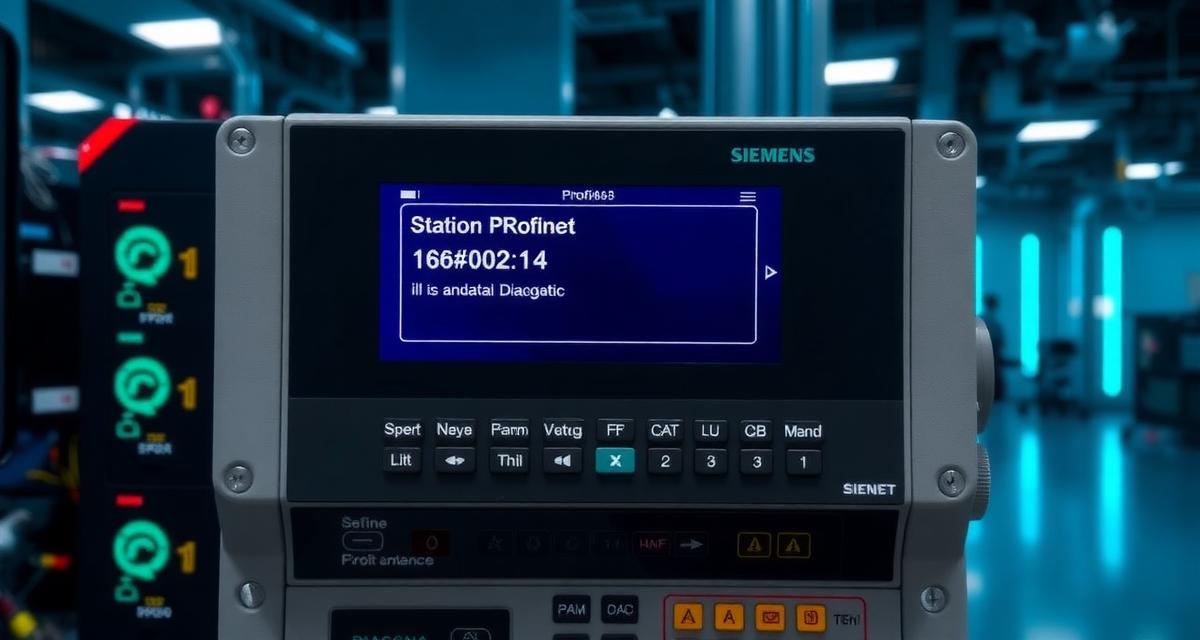
This Siemens PROFINET station failure 16#02:47:04 diagnosis and fix guide maps every known root cause from physical cable to software layer. Does 16#02:47:04 always mean the PROFINET device is physically disconnected, or can the cable be intact and the device still not reachable? The cable is the last cause to blame — GSD revision mismatch, duplicate IP address, and incorrect device name each produce the same 16#02:47:04 error code with the cable showing link lights on both ends. In a PROFINET network with 12 devices, one of these software-layer causes is statistically more likely than a physical cable failure. This guide provides the complete diagnostic decision tree from physical layer to software layer, using the TIA Portal LLDP Topology view to localize the failure point without cable tracing.
- What 16#02:47:04 Encodes and What the Additional Info Field Contains
- Root Cause Decision Tree: Physical vs Software Layer
- Step 1: Physical Cable and Link Verification
- Step 2: IP Address Conflict Detection
- Step 3: PROFINET Device Name Verification
- Step 4: GSD Revision Mismatch Diagnosis
- Step 5: LLDP Topology View — Localize the Failure Without Cable Tracing
- Technical Validation
- Frequently Asked Questions
What 16#02:47:04 Encodes and What the Additional Info Field Contains
In the S7-1200 and S7-1500 diagnostic buffer, event code 16#02:47:04 decodes as:
- 16#02 — Event class: I/O access error
- 47 — Event number sub-class: PROFINET IO interface
- 04 — Sub-code: station failure (the PROFINET IO device became unreachable)
The companion Outgoing event 16#02:47:05 (station return) confirms when the device reconnects. If only the Incoming event is present (no Outgoing), the device has not reconnected since the fault.
Additional Information field content by firmware version:
| Firmware | Additional Info Content |
|---|---|
| V4.1 (S7-1200) | Device name (PROFINET station name) |
| V4.4+ (S7-1200) | Device name + IP address |
| V5.x (S7-1200) | Device name + IP address + LLDP port identifier |
| S7-1500 (all) | Device name + IP address + LLDP topology data |
The device name in the Additional Info field identifies which specific PROFINET device failed — critical in multi-device networks where multiple devices could potentially generate this code simultaneously.
Root Cause Decision Tree: Physical vs Software Layer
16#02:47:04 detected for device [name] at [IP]
│
├─ Physical layer check: Ethernet link light on CPU PROFINET port?
│  NO → Cause 1: Physical cable fault between CPU port and network
│
├─ Link light OK. Network switch port for this device showing link?
│  NO → Cause 1a: Cable fault between switch and device
│
├─ All link lights OK. Ping the device IP from a workstation?
│  NO response → Cause 2: IP address conflict or device powered off
│  YES response → Device is reachable at network layer; problem is PROFINET layer
│
├─ Device reachable via ping. TIA Portal shows the device in gray in Network view?
│  YES → Cause 3: PROFINET device name mismatch between project and device
│
├─ Device name correct. Device visible in PROFINET scan (GSD import)
│  but shows "configured differently"? → Cause 4: GSD revision mismatch
│
└─ GSD OK. Use LLDP Topology view to identify failure point
   → Cause 5: Switch or intermediate infrastructure issue
Step 1: Physical Cable and Link Verification
LED inspection path: 1. CPU PROFINET port: the X1 or X1 P1 port LED on the CPU faceplate must show green (link active). If dark (no link), the CPU has no physical connection to the network 2. Network switch port: locate the switch port the CPU connects to and verify its link LED 3. Device’s Ethernet port: the PROFINET device (ET 200SP, ET 200MP, 3rd-party device) must show a link LED on its Ethernet port
Directed ping test from TIA Portal:
TIA Portal → Online → Accessible devices →
Ping: [enter device IP address]
A successful ping response with link lights off is impossible — if you receive a ping response, the physical cable is intact and the failure is at the PROFINET application layer.
Step 2: IP Address Conflict Detection
An IP address conflict occurs when two devices on the same subnet have the same IP address. PROFINET devices use the IP address for standard TCP/IP communication but use the MAC address for PROFINET-specific discovery. If a second device has taken the IP address of the target PROFINET device: – Pings to that IP may respond (from the wrong device) – The original PROFINET device stops responding to PROFINET discovery – 16#02:47:04 is generated
Detection: from TIA Portal → Online → IP address diagnostic: attempt to connect to the expected IP address. If TIA Portal connects to a device whose MAC address does not match the expected device’s MAC address (visible in the device’s diagnostics), an IP conflict exists.
Fix: assign a unique IP address to the device. In TIA Portal: Online → Accessible devices → Select device by MAC address → Assign IP address. The MAC address is printed on the device label.
Step 3: PROFINET Device Name Verification
Every PROFINET IO device has a station name — a string identifier (e.g., “et200sp-line1-station3”) that the controller uses to find the device on the network. If the device name stored in the physical device does not match the name configured in the TIA Portal project, the controller cannot establish the PROFINET connection, generating 16#02:47:04.
Verification: TIA Portal → Online → Accessible devices. Right-click the device in the list → Online & Diagnostics → Properties → PROFINET name. Compare the “Current PROFINET device name” with the name configured in TIA Portal’s Device view.
Fix: if the names differ, in TIA Portal → Right-click device in Accessible devices → Assign device name → Select the device from the MAC address list → Confirm assignment. This writes the configured name from the project into the physical device’s non-volatile memory.
Step 4: GSD Revision Mismatch Diagnosis
PROFINET devices use a GSD (General Station Description) file that describes the device’s capabilities, module slots, and communication parameters. If the GSD file installed in TIA Portal does not match the firmware revision of the physical device, the PROFINET connection may fail with 16#02:47:04.
Detection: TIA Portal → Device view → Right-click device → Properties → General → Article number and Hardware revision. Compare with the physical device’s label (article number and firmware/hardware version printed on the housing).
If the GSD revision in the project does not match the physical device: 1. Download the correct GSD file from the device manufacturer’s support page (for Siemens devices: from SIOS; for third-party devices: from the manufacturer’s download center) 2. TIA Portal → Options → Manage general station description files (GSD) → Install → Select the new GSD file 3. Update the device in the project to use the new GSD version 4. Download hardware configuration to the controller
For the PROFIBUS equivalent of GSD mismatch on S7-300/S7-400 legacy systems, see Siemens Profibus Gsd File Mismatch Error Tia Portal Fix.
Step 5: LLDP Topology View — Localize the Failure Without Cable Tracing
The LLDP (Link Layer Discovery Protocol) Topology view in TIA Portal is the most powerful tool available for PROFINET network fault diagnosis. It uses LLDP data — broadcast packets that PROFINET devices send every 5 seconds identifying themselves and their port connections — to construct a map of the physical network topology.
Access:
TIA Portal → Online → Network view →
Topology tab (at bottom of Network view) →
"Show LLDP topology"
The topology view displays: – All PROFINET devices and their port-to-port connections – Green connections = active and matching the expected topology – Red connections = expected connection but physically not present – Grey devices = device expected but not reachable
Interpretation for 16#02:47:04: When the faulting device is shown in grey in the topology view, the last green connection in the chain leading to it identifies the last working device. The cable segment between that device and the grey device is the point of failure.
On S7-1200 V5.x and S7-1500 (all firmware), the 16#02:47:04 Additional Information field includes the LLDP port identifier — the specific port number on the last known-working device through which the missing device was previously connected. This eliminates the need to trace through the topology view manually.
For the complete S7-1200 diagnostic buffer event class reference that provides context for 16#02:47:04 within the full I/O access error taxonomy, see Siemens S7-1200 Error Codes Complete List.
Technical Validation
PROFINET diagnostic procedures and LLDP topology specification from the Siemens TIA Portal S7-1200 PROFINET/PROFIBUS Diagnostics documentation. Real-world PROFINET device name and GSD troubleshooting from the PLCtalk.net PROFINET device not reachable thread. Industrial network diagnostics training from Penn State Berks PLC Industry Certificate Program.
Frequently Asked Questions
16#02:47:04 appears briefly every 24 hours at the same time, then clears automatically. What causes scheduled PROFINET interruptions?
Recurring 16#02:47:04 events at fixed intervals typically indicate a scheduled network maintenance operation that temporarily disrupts PROFINET traffic — a managed switch performing its STP (Spanning Tree Protocol) reconfiguration at midnight, a firewall rule update blocking PROFINET traffic for 2–3 seconds, or a DHCP lease renewal on a device that should have a static IP. PROFINET devices should always use static IP addresses — DHCP renewal interruptions are a known cause of periodic station failure events. For the device’s IP address assignment: TIA Portal → Online → Accessible devices → Assign IP address → uncheck “Obtain IP address automatically.”
Can 16#02:47:04 appear for a device that is on a different subnet from the CPU?
By design, PROFINET IO requires the CPU and all its IO devices to be on the same subnet. A device on a different subnet cannot participate in the PROFINET IO relationship with the CPU, and 16#02:47:04 will appear permanently for that device until it is moved to the same subnet. PROFINET uses multicast and broadcast frames for device discovery that do not cross subnet boundaries. If remote I/O across subnets is required, use a PROFINET router (PN/PN Coupler, catalog number 6ES7158-3AD10-0XA0) between the two subnets.
After assigning the correct device name, 16#02:47:04 still appears intermittently. What else to check?
If the device name is correct and the fault is intermittent rather than persistent, investigate: (1) the cable quality — PROFINET requires at least Cat 5e cable; lower categories produce intermittent errors under electrical noise conditions; (2) the switch’s PROFINET configuration — unmanaged switches may not properly handle PROFINET multicast traffic; (3) EMI sources near the PROFINET cable — variable speed drives, transformer rooms, and welding equipment can induce noise on PROFINET cables that periodically exceeds the cable’s immunity threshold.